Affiliate disclosure: This article contains an affiliate link. If you purchase through a button on this page, I may receive a commission at no additional cost to you. I have aimed to keep this guide useful, balanced and clear.
The quick answer
An accessible way to bring still images to life
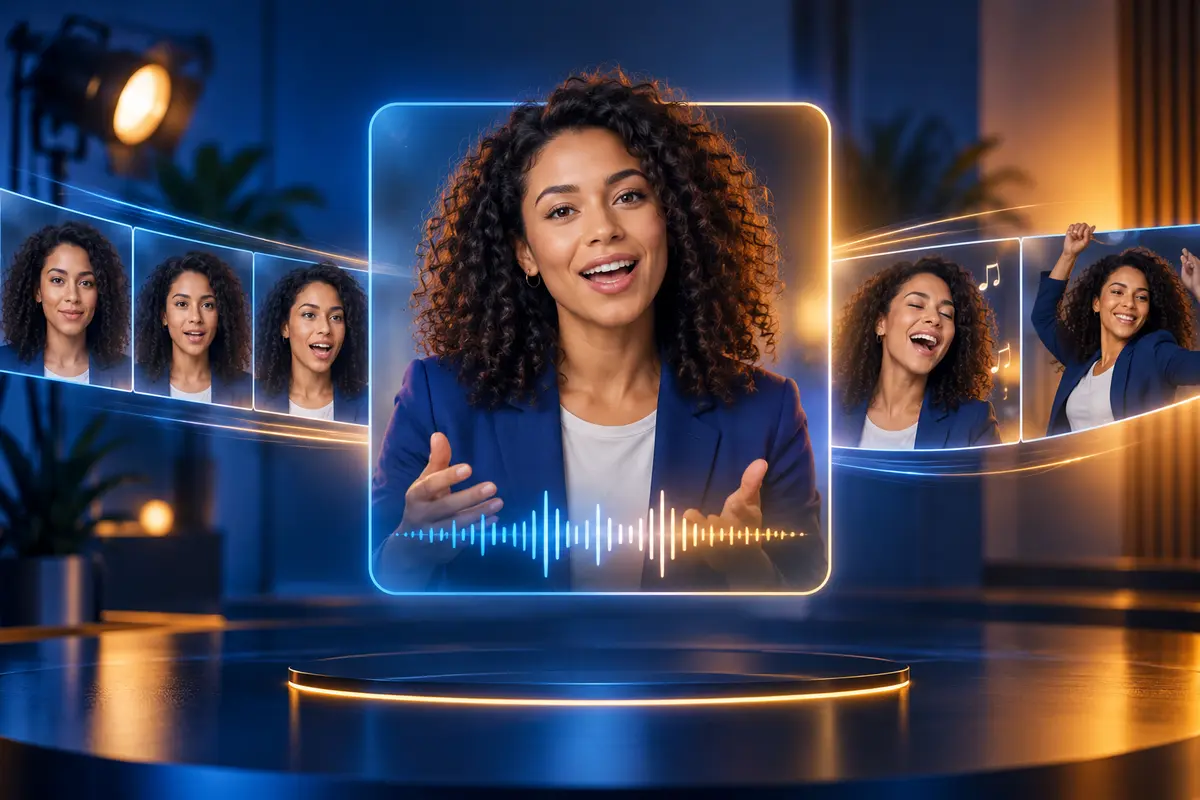
TalkingPhotos.ai is worth exploring if you want to create presenter-style or character-led videos without filming yourself. It brings photo animation, voices, lip-sync, movement and scene-building tools together in one browser-based platform.
Its strongest appeal is creative flexibility: people, cartoons, animals and other characters can be made to talk, sing or dance. As with every AI tool, the final output needs human review and all uploaded media must be used with the necessary rights and permission.
Video content is one of the most effective ways to attract attention online—but filming, presenting and editing can take time, equipment and confidence.
TalkingPhotos.ai offers a different approach. It can transform a static photograph or AI-generated character into an animated video, helping content creators, marketers, educators and small businesses experiment with engaging ideas without needing a camera crew or advanced editing experience.
Instead of starting every video with a camera and a blank timeline, you can begin with one suitable image and a clear message. That makes it easier to test creative concepts and keep a content schedule moving.
What is TalkingPhotos.ai?
TalkingPhotos.ai is an artificial intelligence platform for animating still images. You can upload a photograph or create a character, add a script or audio, and generate a video with synchronised speech, facial expressions and movement.
The platform supports human portraits, cartoons, animals and other creative characters. This opens up possibilities ranging from AI spokesperson videos and product explainers to educational content, stories and entertaining social posts.
Key TalkingPhotos.ai features
- Talking photo videos: animate a suitable image and coordinate its mouth movements with speech using AI lip-sync.
- Singing and dancing characters: create more playful content for social posts, introductions and imaginative campaigns.
- Different character types: work with human portraits, illustrated characters, animals and other creative subjects.
- Different ways to add speech: use text-to-speech, upload your own permitted audio or record directly.
- Multilingual options: adapt messages for different audiences using uploaded audio or a choice of AI voices.
- Expressions and full-body movement: add facial animation, hand movements and more active presentation.
- Character and background tools: generate images, create consistent characters and customise the scene.
- Storyboard: merge separate clips into a longer and more structured production.
- Full HD output: download completed projects as MP4 videos for compatible platforms.
Who could use TalkingPhotos.ai?
The platform could appeal to people and organisations that need regular video content but want to reduce the time, cost or confidence barrier involved in appearing on camera.
- Small businesses creating short promotional videos and answers to common customer questions.
- Affiliate marketers explaining relevant products and offers through character-led content.
- Social media managers producing videos for YouTube, TikTok, Instagram and Facebook.
- Educators and course creators bringing characters, lessons and stories to life.
- Ecommerce businesses finding new ways to demonstrate product benefits.
- Agencies and consultants testing video ideas and concepts for campaigns.
- Camera-shy creators who would prefer to communicate through an animated presenter.
Practical ways to use TalkingPhotos.ai
- Create an AI spokesperson to introduce a product or service.
- Turn a frequently asked question into a short talking-character video.
- Animate a brand mascot for social media.
- Produce different language versions of the same message.
- Create a talking introduction for an online course.
- Use a singing or dancing character for an entertaining promotional post.
- Combine several scenes into a longer explainer video.
- Test a new video concept before investing in a filmed production.
What are the main advantages?
The biggest attraction is accessibility. You do not need a studio, camera crew or advanced editing knowledge to begin experimenting with animated video.
It may also help people who are uncomfortable appearing on camera. An animated character or AI presenter can deliver a message while allowing the creator to focus on the script, offer and audience.
At the time of writing, the official offer advertises one-time-payment options rather than a compulsory monthly subscription, along with unlimited video renders, no watermarks and a 30-day money-back guarantee. Prices, limits and package terms can change, so check the current sales page before purchasing.
Points to consider before buying
The quality of an AI-generated video will depend partly on the source image, audio, script and settings. Review every result before publishing and allow time to refine anything that does not look or sound natural.
You must have permission to use any photographs, voices, music, faces, trademarks or other protected material uploaded to the platform. Face-swap and voice technology should never be used to impersonate someone, mislead an audience or create content without appropriate consent.
Check the current package carefully so you understand which features, video lengths, limits and usage rights are included in the option you select.
Is TalkingPhotos.ai worth considering?
TalkingPhotos.ai is worth exploring if you want to create eye-catching video content from static images without relying on conventional filming. Its combination of talking photos, singing and dancing characters, voice options, full-body animation and storyboard tools gives creators plenty of room to experiment.
It may be especially appealing to small businesses, affiliate marketers and social media creators who need a regular supply of videos but want to reduce production time and avoid another monthly software cost.
Check today's offer and package termsBring your photos to life with TalkingPhotos.aiFrequently asked questions
TalkingPhotos.ai FAQs
What is TalkingPhotos.ai?
TalkingPhotos.ai is a browser-based AI platform that animates static images to create talking, singing and dancing videos with synchronised speech, expressions and movement.
Can I use my own photo and voice?
The platform says users can upload their own suitable images and audio, record directly or use text-to-speech. You must have the necessary rights and consent for every image, voice and other asset you use.
Does TalkingPhotos.ai support different languages?
TalkingPhotos.ai advertises multilingual support through uploaded audio and a selection of text-to-speech voices, making it possible to adapt videos for different audiences.
Who could use TalkingPhotos.ai?
It may suit social media creators, small businesses, educators, affiliate marketers, coaches, ecommerce businesses and anyone who wants to make presenter-style videos without appearing on camera.
Does TalkingPhotos.ai require a monthly subscription?
At the time this guide was written, the official offer advertised one-time-payment options. Prices, limits and package terms can change, so check the current sales page before purchasing.
Features and offer details were checked against the official TalkingPhotos.ai website on 12 September 2026. They may change. Review the current package, terms, licensing and usage requirements before purchasing.