Affiliate disclosure: This article contains affiliate links to Dropified. If you sign up through my link, I may earn a commission at no additional cost to you. These are suggested filming and testing methods, not results from a campaign I have run.
A photograph shows what a product looks like. A useful demonstration helps someone understand what it could do for them. For an affiliate or online seller, that difference gives you a good starting point for a short video.
Take a vegetable chopper. A long list of blade attachments asks the viewer to imagine the benefit. Showing how you prepare an ingredient lets them judge the result for themselves. The same approach can work as a starting point for a cleaning tool, desk accessory or storage product.
The starting point
Make the benefit easy to see
Aim for a clear, honest demonstration that answers a buyer's question. Twenty seconds is a useful creative constraint to test, not a rule or a promise of sales.
Choose one problem and one benefit
Before picking up your phone, complete this sentence: “This video will show how this product helps with…” Be specific. Preparing chopped pepper for lunch is easier to demonstrate than “transforming your kitchen”.
Then choose a question your intended customer might ask. Does it handle this ingredient? How much fits in the container? What does the finished result look like? Give each question its own video rather than squeezing every feature into one clip.
Only claim what you can show or verify. If the ingredient needs peeling, trimming or cutting to fit first, make that clear. A short demonstration should not imply that those steps disappear.
A simple 20-second product demo storyboard
Use this timing as a first draft. Adjust it if the action needs longer to remain understandable.
| Time | What to film | Purpose |
|---|---|---|
| 0–3 seconds | A recognisable task and a short question | Give the viewer a reason to watch |
| 3–11 seconds | The product carrying out one action | Show how it works clearly |
| 11–16 seconds | A close look at the finished result | Help the viewer judge the benefit |
| 16–20 seconds | The result being used, plus one next step | Connect the demonstration to a practical use |
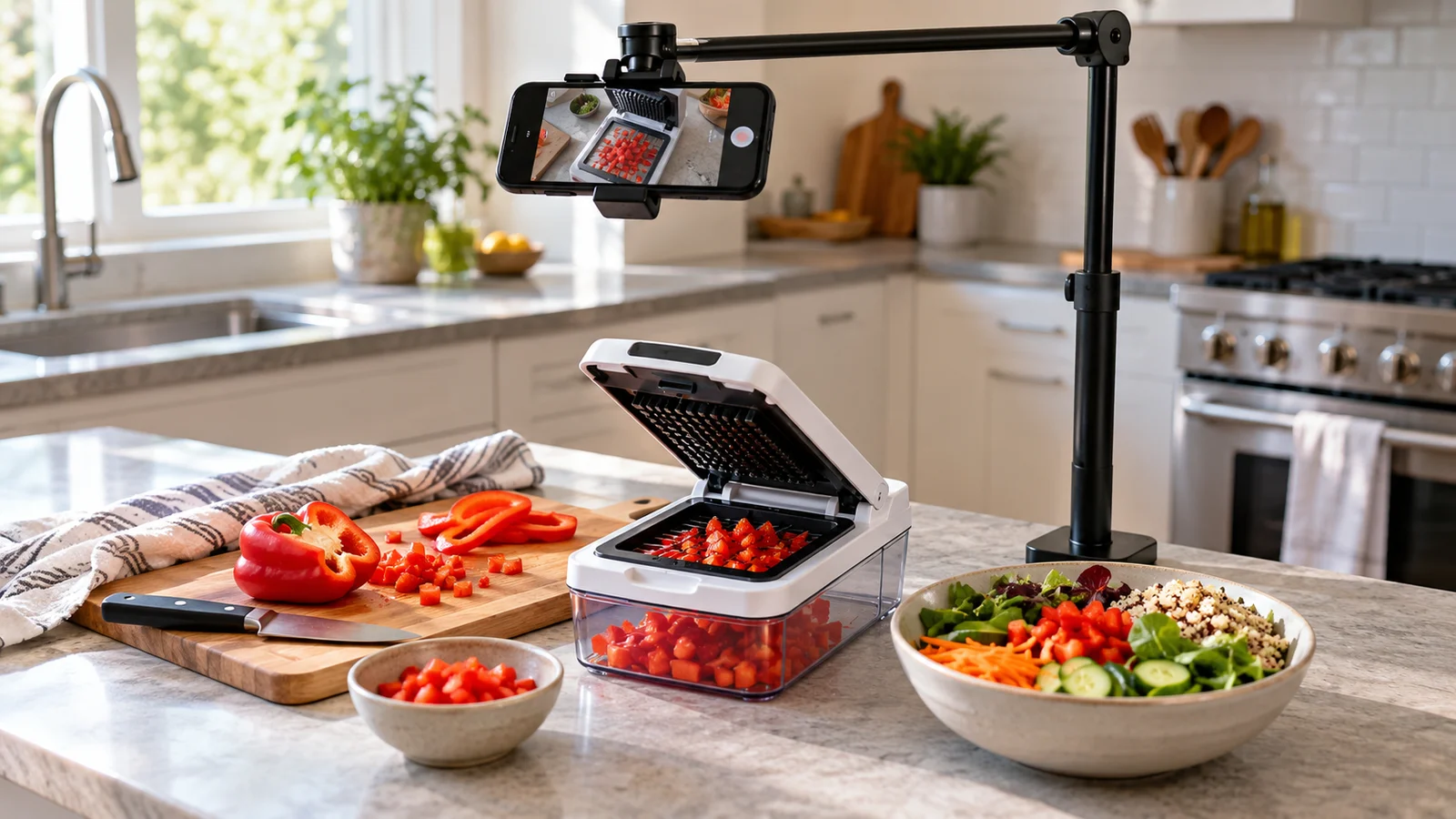
For the chopper example, show the prepared ingredient, the chopping action, the pieces in the container and those pieces going into a lunch bowl. Keep essential action visible. If you speed up footage, label it rather than implying the product works at that speed.
Three opening hooks worth testing
- The everyday question: “Preparing lunch? Here's one way to chop your pepper.”
- The buyer's question: “What do the pieces actually look like?” Start with a glimpse of the result, then show the action.
- The practical task: “One pepper, one lunch bowl. Let's get it ready.”
These are creative options, not proven winning hooks. Match the wording to what your footage genuinely shows. Avoid invented frustrations, fake reactions or a time-saving comparison you have not measured fairly.
Film for clarity before adding effects
A phone, a stable mount and a well-lit surface are enough to begin. For a countertop demonstration, try filming from above or at an angle that keeps your hands from hiding the action. Follow the product's instructions and keep blades away from fingers.
- Use a vertical frame: Compose for the intended short-video placement and keep important details away from areas covered by interface controls.
- Keep the background simple: Make it easy to identify the product and the result.
- Use readable text: A few short captions are easier to follow than a paragraph over the footage.
- Record useful sound: Real product audio can support the demonstration. Make sure the clip still makes sense when muted.
- Use music you have permission to use: Check that the licence covers your intended commercial use and platform.
Watch the finished edit on your phone. Can you understand the task, see the action and read the next step without pausing? If not, simplify the edit.
A ready-to-use vegetable chopper script
This example assumes you have already washed, trimmed and cut the pepper to a suitable size for your particular chopper.
“Getting lunch ready? This pepper is washed and cut to fit. Here's how this chopper handles it. Have a look at the pieces, then into the bowl they go. Check the product details to see whether it suits your kitchen.”
Pair it with four brief captions: “Lunch prep”, “Prepared to fit”, “See the result” and “Check product details”. Read the voiceover aloud against your footage; shorten it if it feels rushed.
Your call to action must match an actual route available on the platform and your account. If the product is tagged, you can refer to the product tag. If you use a profile link, say so. Do not promise a clickable description link unless that placement supports one. Make any affiliate promotion clear in the video or accompanying caption.
Measure interest and buying behaviour separately
Film three versions with different openings and keep the rest as similar as practical. Compare results over a consistent period and note whether each clip was organic or paid. Differences in audience and distribution mean this is a useful learning exercise rather than a perfectly controlled experiment.
Look at watch time and completion, then product or link clicks, and finally orders where you can track them. A video can attract attention without producing profitable sales. If you calculate click-through rate, state exactly which clicks and denominator you used; different placements and platforms may define it differently.
If people watch but do not click, try making the next step clearer. If they click but do not buy, review the listing, price, delivery information and how well the product matches the demonstration. For paid campaigns, include advertising costs, fees and returns when assessing whether the sales are worthwhile.
Where Dropified fits into the selling process
Making a useful video is only part of running an online shop. You also need to research products, prepare listings and manage orders. Dropified currently presents its platform around AI-assisted product research, store building, marketing and order automation. These are the company's advertised capabilities, checked on 2 October 2026.
If you are exploring dropshipping, it is an option to investigate alongside your content plan. Check its current plans, supported integrations, supplier arrangements and delivery expectations against your business needs. A tool cannot establish demand or guarantee that a demonstration will generate sales.
For more background, read my Dropified review. If you want to explore the platform itself, use the link below.
Explore product research and dropshipping automationSee What Dropified Can Do for Your StoreYour first filming session
Choose one product you can demonstrate properly. Write down one buyer question, film the answer and create three opening variations. Keep a note of what each version shows and what happens after publication.
The goal is to give the right viewer enough useful information to take the next step. Start with evidence they can see, then improve your video using the response you actually receive.
Further reading: This original guide was prompted by Dropified's vegetable chopper demonstration article. The structure, example script and testing suggestions here are editorial recommendations; no specific click-through rate is promised. Platform information was checked against Dropified's official website.